Master Event Planning with a Guest List Tracker Printable Template
Planning any event—whether it's a wedding, corporate conference, milestone birthday, or community fundraiser—comes with a mountain of details. Among the most essential yet often underestimated tasks is managing who will attend. A Guest List Tracker Printable Template can transform this process from a stressful guessing game into a streamlined, organized workflow. This article explores how a thoughtfully designed tracker can save you time, reduce errors, and elevate the professionalism of your event planning, whether you're a busy professional, a creative entrepreneur, or a self-publishing author.
Why a Dedicated Guest List Tracker Matters
Many people rely on scattered sticky notes, mental notes, or basic spreadsheets to track their guests. While these methods can work in a pinch, they often lead to confusion: duplicate entries, forgotten plus-ones, missed dietary restrictions, or mismatched contact details. A Guest List Tracker Printable Template centralizes all this information in one clean, accessible place. It ensures that every name, RSVP status, meal preference, and special accommodation is recorded consistently.
Beyond simple record-keeping, a well-structured tracker serves as a communication tool for your team. Coordinators, caterers, and venue staff can all refer to the same document, reducing the risk of misunderstandings. For self-publishers creating planners or event management resources, offering a ready-to-use guest list tracker as a printable or digital product adds real value for their customers.
What Makes This Template Stand Out
The Guest List Tracker Printable Template featured here is designed with versatility and professional output in mind. It is not a one-size-fits-all document; instead, it provides a solid framework that you can tailor to your specific needs.
Three Size Options for Flexibility
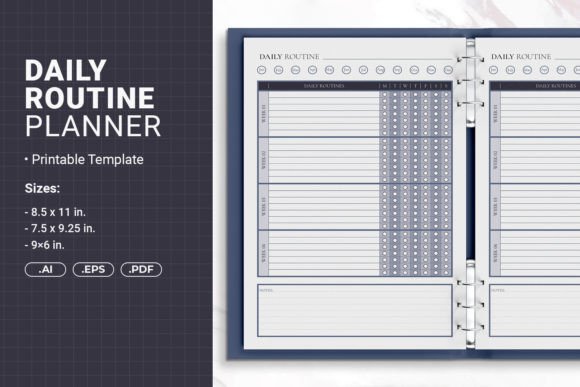
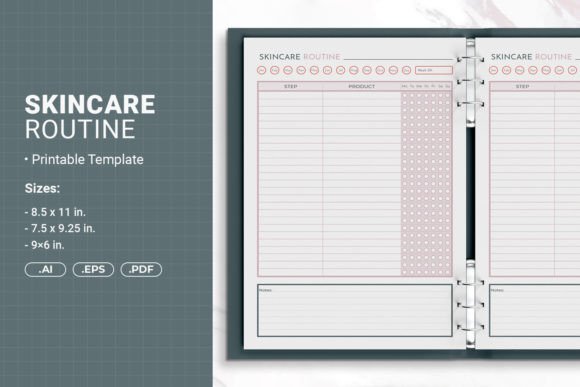
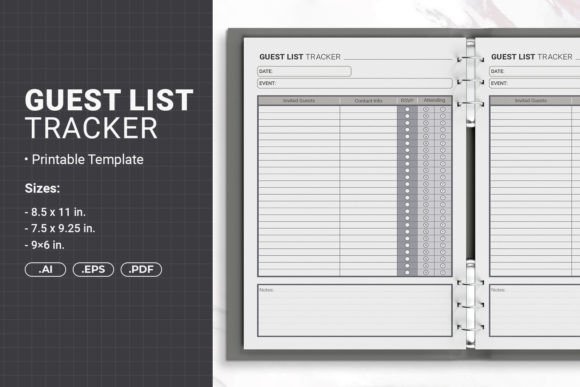
One of the first decisions you'll face is choosing the right dimensions for your project. This template comes in three sizes:
- 8.5 x 11 inches (215.9 x 279.4 mm) – The standard letter size, ideal for printing at home or in an office. It offers ample space for detailed entries and is compatible with most binders and folders.
- 7.5 x 9.25 inches (190.5 x 234.95 mm) – A slightly more compact size that still provides generous room for information. This size works well for professional presentation binders or as a sleek insert for event planners.
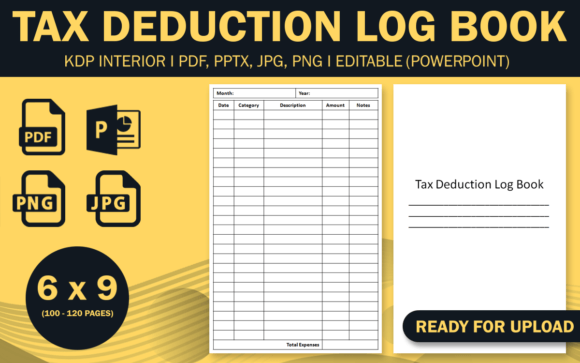
- 6 x 9 inches (152.4 x 228.6 mm) – A portable, pocket-friendly option perfect for on-the-go reference. It is also the most popular trim size for self-published books and printed planners available on platforms like Amazon KDP.
This variety means you can select the size that best matches your workflow, whether you plan to print at home, use a commercial printer, or upload directly to a print-on-demand service.
Print-Ready and KDP-Compatible
For self-publishing authors and print-on-demand sellers, technical precision is critical. This template is prepared with PDF with Bleed, meaning the design extends slightly beyond the final trim line to avoid unsightly white edges after cutting. If you are uploading to Amazon KDP or similar platforms, this bleed ensures your final product meets their strict formatting requirements. You can simply import the PDF, review the layout, and publish with confidence.
Binding-Friendly Design
Another practical consideration is how your printed tracker will be assembled. Many planners and workbooks are three-hole punched for binders or spiral-bound for lay-flat use. This template includes a safe margin for hole punching binding, so you won't accidentally punch through important content. This attention to detail makes the template suitable for use in ring binders, coil-bound notebooks, or even disc-bound systems.
Who Benefits from Using This Template?
The Guest List Tracker Printable Template is not limited to wedding planners. Its clean layout and customizable fields make it useful across a wide range of scenarios.
Event and Wedding Planners
Professional planners can incorporate this template into their client kits. Instead of building a tracker from scratch for each event, they can reuse the template, adapting columns for seating assignments, dietary needs, or VIP status. This saves hours of administrative work and presents a polished image to clients.
Corporate and Nonprofit Organizers
Corporate retreats, conferences, and fundraising galas often have guest lists that evolve up until the last minute. A printed tracker allows organizers to make quick handwritten updates without needing to access a computer. For nonprofit board members or volunteer committees who may not all use the same digital tools, a printed version ensures everyone is on the same page.
Self-Publishing Creators
Authors and content creators who sell planners, journals, or organizer inserts on Etsy, Amazon, or their own websites can use this template as a ready-to-sell product. Because it comes in Ai Illustrator Files (open source), EPS File, and PDF Files, you can customize the branding, add your logo, adjust colors, and repackage it as your own. The open-source Illustrator files give you full control over the design, so you can create a unique offering that stands out in a crowded marketplace.
Home Users and Hobbyists
Even for personal events like a family reunion, graduation party, or baby shower, having a printed guest list tracker keeps everything organized in one physical place. You can pin it to a bulletin board, slip it into a binder, or keep it in a kitchen drawer for quick reference. The satisfaction of marking off confirmed guests with a pen is surprisingly motivating.
Real-World Applications: How to Use the Template in Practice
Let's walk through a few scenarios to illustrate the template's practical value.
Scenario 1: A Wedding with 150 Guests
Sarah is planning her wedding and using the 8.5 x 11 inch size of the Guest List Tracker Printable Template. She prints multiple copies—one for herself, one for her fiancé, and one for the day-of coordinator. She fills in columns for full name, RSVP status (yes/no/pending), meal choice, and table number. The safe margin for hole punching allows her to organize the sheets in a three-ring binder, adding section dividers for "Family," "Friends," and "Coworkers." When a guest changes their meal preference, she can easily update the sheet and notify the caterer. The template's clarity reduces the chances of serving a guest the wrong meal.
Scenario 2: A Conference with 300 Attendees
Marcus runs a small event planning company that manages an annual industry conference. He uses the 7.5 x 9.25 inch size for his team's internal tracking. The compact size fits neatly into a clipboard. He customizes the template in Adobe Illustrator to add columns for "Check-in Time," "Badge Number," and "Session Preference." The bleed-friendly PDF setup ensures that if he decides to print a professional version for sponsors or speakers, the output looks polished. His team appreciates having a physical backup in case the Wi-Fi goes down during registration.
Scenario 3: Selling a Planner on Amazon KDP
Emily is a self-publishing author who creates niche planners. She selects the 6 x 9 inch size for a wedding planning book she intends to sell on Amazon. Using the open-source Ai files, she adjusts the colors to match her branding, adds her logo, and exports a print-ready PDF with bleed. The safe margin for binding means she can offer the book in both coil-bound and perfect-bound formats without content being lost in the gutter. Her customers receive a professional-grade product that functions seamlessly.
Strengths and Considerations
Every tool has its strengths and limitations. Understanding these will help you decide if this template aligns with your needs.
Strengths
- Versatility: The three size options make it adaptable for printing, binding, or uploading to KDP.
- Customizability: With Ai, EPS, and PDF files provided, you can modify every element to suit your brand or project.
- Professional output: The inclusion of bleed and safe margins ensures a clean, finished look whether you print at home or use a commercial service.
- Time savings: Having a ready-to-use framework eliminates the need to design a tracker from scratch.
Considerations
- Software requirement: To fully customize the Ai or EPS files, you will need Adobe Illustrator or a compatible vector editing program. The PDF version is ready to use without editing software.
- Printed vs. digital workflow: This template is designed primarily for print. If you need a fully digital, collaborative spreadsheet (like Google Sheets), a printable PDF may not be the best fit for real-time team editing.
- Space constraints: While the 8.5 x 11 inch size offers generous space, the 6 x 9 inch version is more compact. If you need to record extensive notes for each guest, the larger sizes will be more comfortable to work with.
How to Choose the Right Size for Your Project
Selecting the appropriate size depends on how you intend to use the template.
- Choose 8.5 x 11 inches if you prioritize maximum writing space and plan to keep the sheets in a standard binder or folder. This size is ideal for home printing and office use.
- Choose 7.5 x 9.25 inches if you want a balance between portability and readability. It fits well in smaller binders or presentation folders and is a popular choice for semi-professional event kits.
- Choose 6 x 9 inches if you are creating a product for sale on Amazon KDP or another print-on-demand platform, or if you need a compact tracker that slips easily into a tote bag or purse.
If you are uncertain, the 8.5 x 11 inch size offers the most flexibility for general use, while the 6 x 9 inch size is the most marketable for book publishing.
Conclusion
The Guest List Tracker Printable Template is more than just a grid of names—it is a practical system for bringing order to one of the most detail-intensive aspects of event planning. With three size options, print-ready PDFs that include bleed, safe margins for binding, and open-source files for customization, this template serves a wide audience: from wedding planners and corporate organizers to self-publishing authors and home users. By reducing administrative friction and ensuring your guest information is accurate and accessible, it lets you focus on what truly matters—creating a memorable experience for your attendees.
Whether you are printing a single copy for a family celebration or producing hundreds of planners for sale, this template provides the foundation you need to work efficiently and professionally. Take advantage of its flexibility, tailor it to your workflow, and enjoy the peace of mind that comes with knowing your guest list is under control.