Sudoku for Kids – Easy Sudoku for Kids
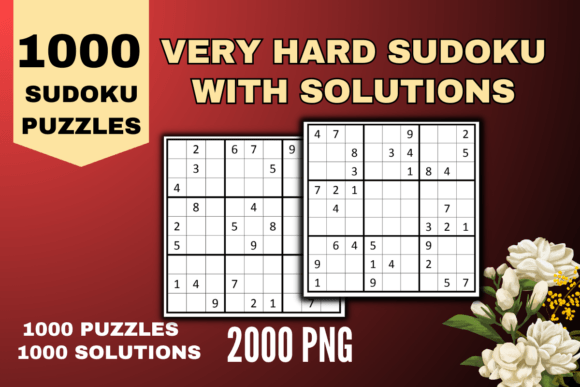
When you pick up a puzzle book for a child, you are not just buying pages of numbers. You are investing in focused play, logical thinking, and screen‑free time. The phrase Sudoku for Kids – Easy Sudoku for Kids often brings to mind simple grids and bright covers, but the actual resource behind that label can be a powerful tool for parents, educators, and content creators alike. In this article we look at one specific collection – a 300‑puzzle book with all difficulty levels appropriate for children – and explore how the accompanying digital assets (a high‑resolution interior, editable AI file, and ready‑to‑print PDF) can fit into real workflows for publishing, teaching, and daily enrichment.
What This Sudoku Book Offers Beyond the Puzzles
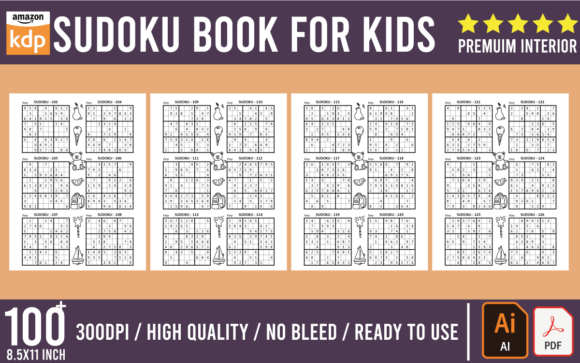
The core product is a set of 300 sudoku puzzles tailored for kids. But the real value for an adult professional – whether you are a teacher assembling classroom materials, a parent building a home‑learning binder, or a seller on a print‑on‑demand platform – lies in the file structure. The package includes a 100‑page PDF that is print‑ready and POD‑compliant, plus an editable AI file (Adobe Illustrator) that allows you to modify the layout, add branding, change fonts, or adjust puzzle sizing. The resolution is high enough for professional printing, and the dimensions (8.5 x 11 inches, no bleed) make it compatible with standard home printers and commercial print shops alike.
Many children’s puzzle books stop at the finished PDF, but having the source AI file means you retain full control over the final product. This is especially important if you plan to rebrand, localize the instructions, or create multiple versions for different age groups.
Where This Resource Fits in a Publisher’s Workflow
If you are a small business owner or freelancer who creates kids’ activity books for platforms like Amazon KDP, Etsy, or Gumroad, you already know that time spent on layout and formatting is time taken away from marketing or content creation. This collection intentionally skips that friction. The PDF is formatted to meet POD specifications, so you can upload it directly to your product listing. But because the AI file is editable, you can also:
- Add your cover design – simply place the puzzle pages after your own front matter.
- Insert your logo or branding on each page or as a watermark without needing to rebuild the whole interior.
- Resize the puzzle grids for different trim sizes or margins, because the AI file uses live text and objects rather than flattened images.
- Separate puzzles by difficulty – the collection already includes all levels, but you can reorder them, remove a few, or combine sets from multiple books.
This workflow is especially useful when you produce a series of workbooks. Instead of designing every puzzle from scratch, you build a library of AI‑based interiors that you can tweak in minutes.
Using the Puzzles in a Teaching or Parenting Context
For educators and homeschooling parents, the phrase Sudoku for Kids – Easy Sudoku for Kids often translates to “differentiated instruction.” Children learn at different paces, and a single puzzle book that claims to be “easy” may still frustrate a beginner. This 300‑puzzle collection solves that by including multiple levels, so you can:
- Start a child with 4x4 or beginner 6x6 puzzles even if the book only shows standard 9x9 grids – the AI file lets you extract the easiest ones and print them separately.
- Print only a handful of puzzles each week instead of handing over the entire book. A bound book can feel overwhelming; a few loose sheets feel like a game.
- Use the high‑resolution PDF to project puzzles on a smartboard or screen for group solving. You can zoom in without losing clarity.
Because the file is editable, you can also add extra instruction pages, hints, or a “how to solve” guide at the beginning. The 100‑page count leaves room for you to insert a title page, answer keys, or even a certificate of completion without exceeding your intended page count. And with no bleed requirement, you aren’t locked into a specific trim size – you can trim the PDF to whatever margin your printer supports.
Quality Control and Consistency
When you produce multiple activity books, maintaining consistent puzzle density and visual style matters. This interior uses a high‑resolution layout that looks clean on 8.5 x 11 paper. Because the AI file is available, you can check every element: grid lines, numbers, spacing. If a printer renders a certain font too thin, you can replace it with a bolder one. If you want to add color to the backgrounds or titles, you can do so without losing the structured grid patterns. That level of quality control is difficult to achieve when you only have a flattened PDF.
Organizing Multiple Puzzle Sets
If you intend to use this resource as part of a larger series (e.g., “300 Sudoku for Kids – Easy”, “300 Sudoku for Kids – Medium”, “300 Mazes for Kids”), you can treat the AI file as a template. Keep a master folder with the blank puzzle grids (from the AI file) and insert your own numbers. That way, you never have to rebuild the grids from scratch. The initial investment of editing the AI file pays off every time you produce a new volume.
Print and Digital Distribution
Many creators sell their products in multiple formats: a printed book via IngramSpark or KDP, and a digital PDF on Etsy. The file in this collection works for both. The PDF is already optimized for print (no bleed, correct margins). For digital use, you can reduce the PDF file size by lowering image compression in the AI source, or you can add interactive elements if you have the time. Having the source file means you are not locked into one channel.
How to Integrate This Resource into Your Routine
Even if you are not a commercial publisher, you can use this sudoku collection as a personal productivity tool. For example:
- Morning warm‑up – Print a puzzle a day for your own child or classroom. The variety in difficulty keeps the activity fresh and avoids the boredom of repeating the same level.
- Travel or wait‑time activity – Create a small booklet of 10 easy puzzles by selecting pages from the PDF. The high resolution means they still look crisp when printed on low‑cost paper.
- Gift bundle – Combine the sudoku PDF with a coloring book and a logic puzzle set. The consistent trim size (8.5 x 11) makes bundling easy for physical copies.
The key is to think of the PDF and AI file not as a finished product, but as a kit. You take the components that fit your audience and assemble them into something specific.
Why the AI File Matters for Workflow Efficiency
Among creators, the most common bottleneck is not puzzle generation – it’s formatting. Sudoku grids must be perfectly aligned, numbers must be evenly spaced, and the overall layout should feel balanced. The provided AI file eliminates the need to draw grids from scratch or manually adjust spacing. You can open the file, select a grid, and change the numbers. You can also rearrange the order of pages by simply moving artboards in Illustrator. This is drastically faster than rebuilding the entire interior in InDesign or Canva from scratch, especially when you have 100 pages and 300 puzzles to manage.
Moreover, the AI file is editable, meaning you can change the puzzle set if you need more of one level. For example, if you are making a “Sudoku for Beginners” booklet and the collection has only 50 easy puzzles, you can duplicate the easy grids and enter new numbers (you can even use an online sudoku generator for the numbers). The structural work – layout, grid lines, spacing – is already done.
Considerations for POD Platforms
Print‑on‑demand services like Amazon KDP have strict specifications for interiors. Common issues include missing bleed, low image resolution, and incorrect PDF standards. This file was prepared with KDP guidelines in mind: no bleed (which means you can still use it for books with bleed by extending the background in the AI file later), high‑resolution images, and the correct 8.5 x 11 inch size. Many beginner sellers accidentally submit interiors that fail the review process because of non‑vector elements or low dpi. Because this interior is provided as a high‑resolution PDF with an editable AI source, you can easily prove (and fix) any format issues.
Long‑Term Storage and Reusability
File formats change, but AI and PDF are among the most stable for print production. By saving the AI file in a versioned folder structure (e.g., “Sudoku_Kids_v1.0.ai”), you can revisit it years later and update the design without losing original assets. This is especially useful if you produce seasonal editions – just change the cover and maybe a few puzzle numbers, and you have a new product in minutes. The 100‑page count is also flexible: you can add or remove pages without affecting the overall layout as long as you maintain the artboard order.
Final Observations
The label Sudoku for Kids – Easy Sudoku for Kids might sound simple, but the digital assets behind it – especially the editable AI file and the high‑resolution PDF – turn it into a versatile production tool. Whether you are a parent looking for an afternoon activity, a teacher assembling differentiated worksheets, or a small publisher building a catalog of children’s books, this resource saves hours of layout work. The 300 puzzles across multiple levels give you room to select exactly the right difficulty for each child, and the modular file format makes customization straightforward. By treating the PDF and AI file as a starting point rather than a final product, you can integrate sudoku into your workflow in ways that go far beyond just printing pages.